About the catalog page
A comic store can carry thousands of active products. Shopify's default collection pages can't search or filter that volume by comic-specific data like writer, age rating, or on-sale date. The catalog page is a storefront page Masterfile hosts to fill that gap — search, metafield-driven filters, sort, and pagination over every active product in your store.
Set it up from Storefront Catalog — see Set up your catalog page.
What appears
Every product that is active in Shopify and published to the online store channel — whether Masterfile synced it or you created it by hand. A product only shows up on a given filter if it has the matching metafield set; product sync writes those fields automatically, but you can populate them on any manually-created product to make it filterable alongside the synced ones.
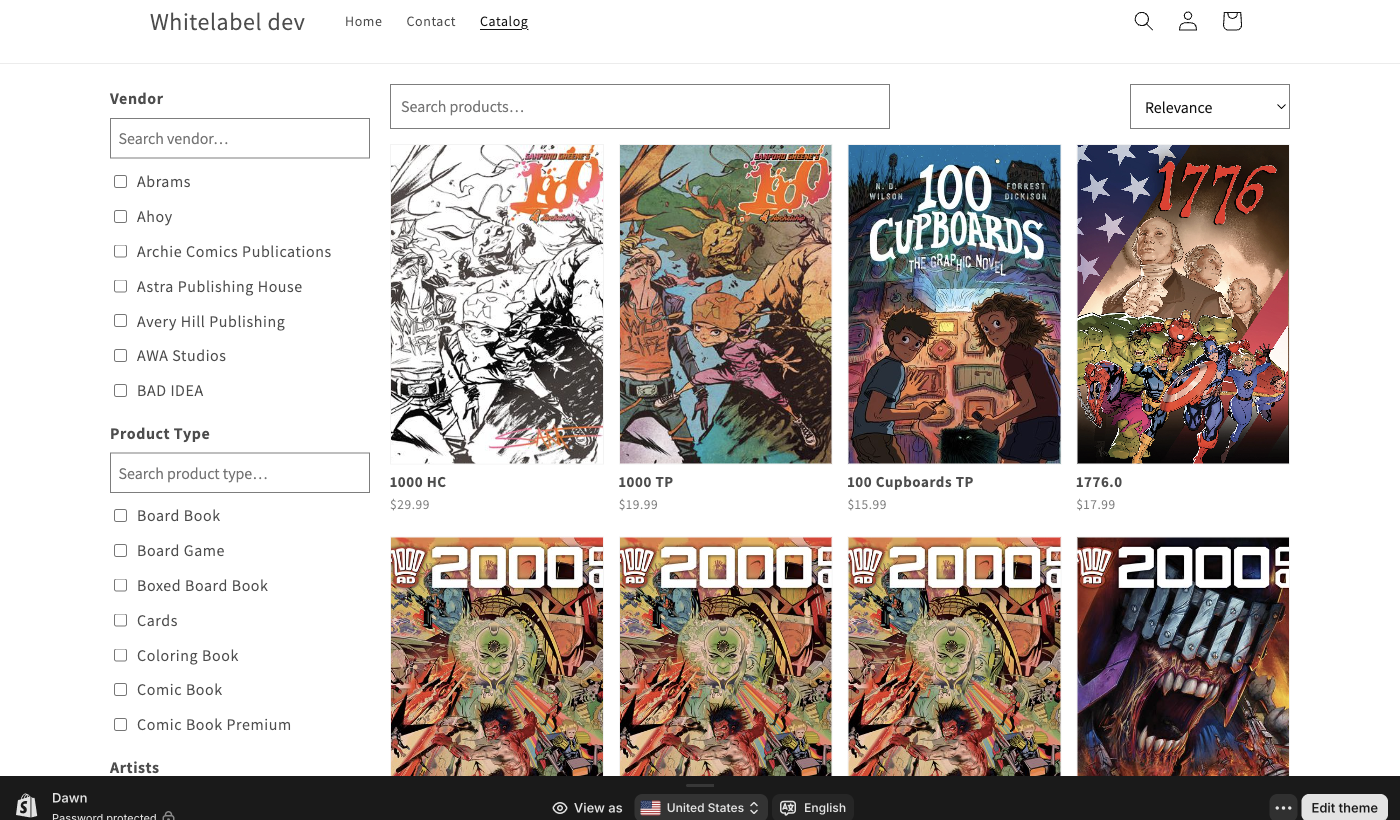
Search
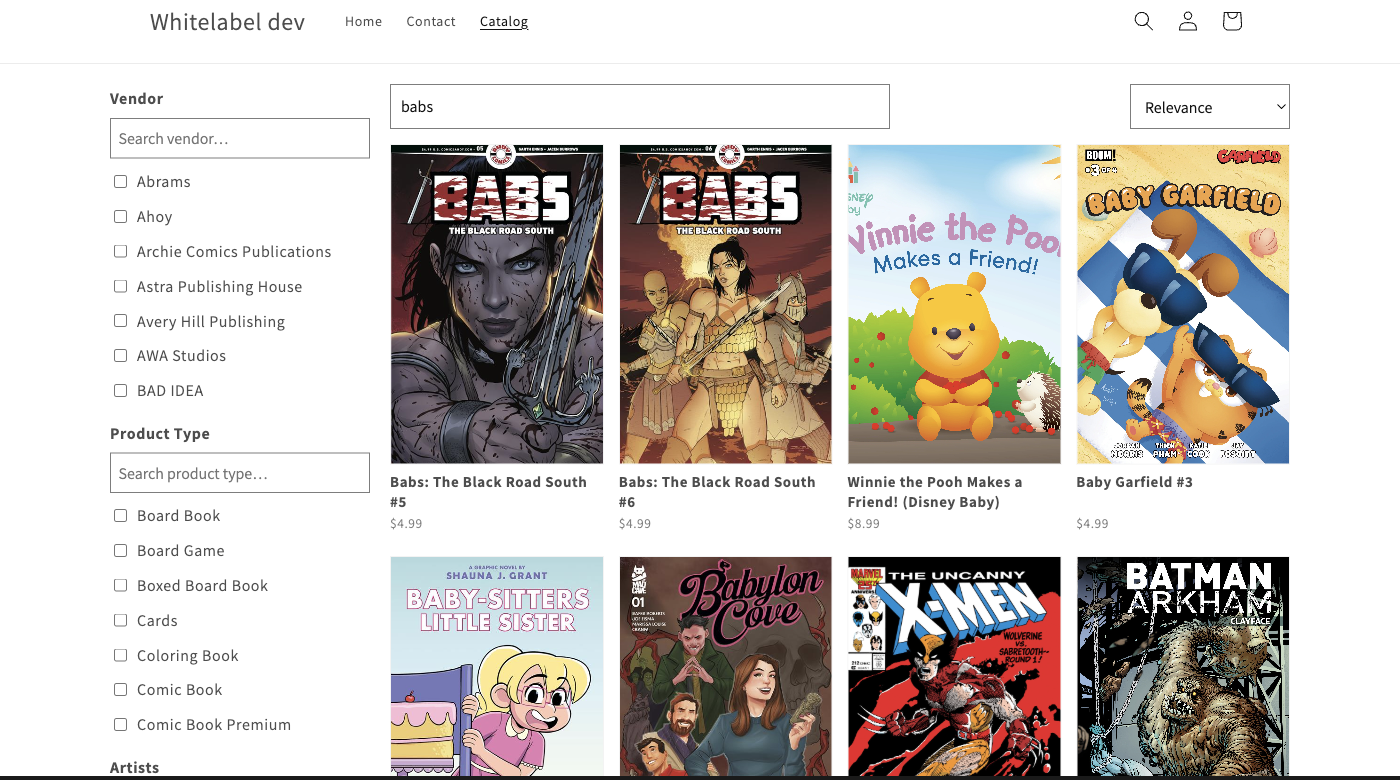
The search box searches each product's title, vendor, and product type. It doesn't match against writer, artist, series, or other comic metafields — use the filters for those.
Searching flips the default sort to Relevance, which weights title matches highest.
Filters
The sidebar holds the filters you enabled in Catalog settings. Each filter's options are derived from the products you actually carry — if you don't sell Ahoy, Ahoy doesn't appear under Vendor.
- Filters are single-select per group. Picking a new value replaces the previous one.
- Filters across groups stack (Vendor = Marvel and Product Type = Hardcover).
- Every selection is encoded in the URL, so filtered catalog URLs are shareable.
- Active filters show as removable pills above the grid, with a Clear all link.
- Pre-order and In stock are toggle filters — no value list, just on or off. See Customize catalog filters for the exact rules.
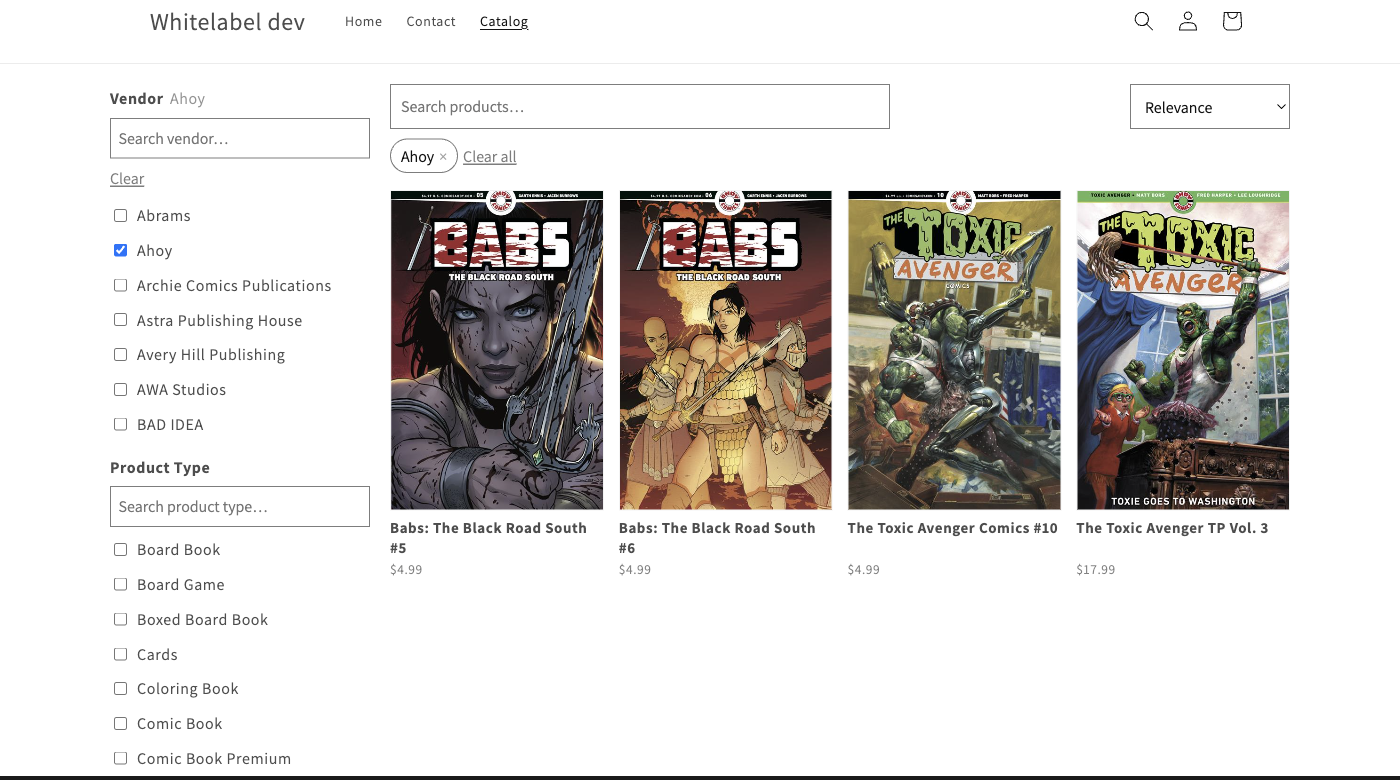
Filter values come from the comic metafields product sync writes to each product. Change or override a field and the catalog reflects it on the next page load.
Sort
A fixed list: Relevance, Title A–Z, Title Z–A, Newest, Oldest, Recently Updated, Vendor, Product Type. Not merchant-configurable.
Pagination
24 products per page. The page number is in the URL, so back/forward, refresh, and shared links all land on the right page.
Theme integration
The page is served through Shopify's app proxy — Shopify wraps it in your live theme's header, footer, fonts, and color tokens before it reaches the shopper. Switch themes or retune colors in the theme editor and the catalog follows on the next load. Nothing to reconfigure on our side.
You don't create a Shopify page or template for this. The only storefront-side step is adding a Catalog link to your navigation; the page itself is always live.
How it fits together
- Which filters are available, and the menu link, live in Catalog settings.
- The comic metafields that power filters are written by product sync and preserved across overrides. Any manually-created product with those same metafields set is filterable too.
What's automatic vs. what you do
Automatic:
- Hosting the page, keeping results in sync with your active products.
- Populating filter options from metafields on products you actually carry.
- Inheriting your Shopify theme's chrome and styling.
You:
- Add the Catalog link to your menu once.
- Pick which filters appear in the sidebar.