Enable Shopify customer account pages
Masterfile ships three Shopify customer-account extensions: My Subscriptions, My Collection, and Digital Editions. They don't appear until you add them as blocks in the customer-account theme editor. Six clicks.
See About customer accounts for what each page shows. If you're not selling digital editions yet, skip the Digital Editions block — you can add it later.
Prerequisite
You must be on Shopify's new customer accounts (the default on all current plans). Classic accounts don't support app blocks. Check under Settings → Customer accounts — if the toggle is set to "New customer accounts", you're good. New Shopify stores are automatically on new customer accounts.
Open the customer accounts editor
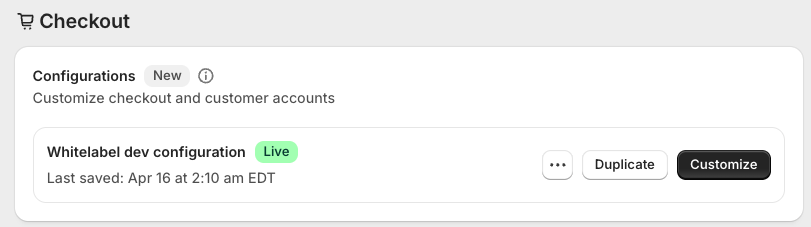
In Shopify admin, go to Settings → Checkout → Configurations and click Customize on your live configuration.
Add the pages
Switch to the Customer accounts surface in the editor, then click the Apps icon in the left rail. Under Masterfile, click the + next to each block you want: My Subscriptions, My Collection, and Digital Editions.
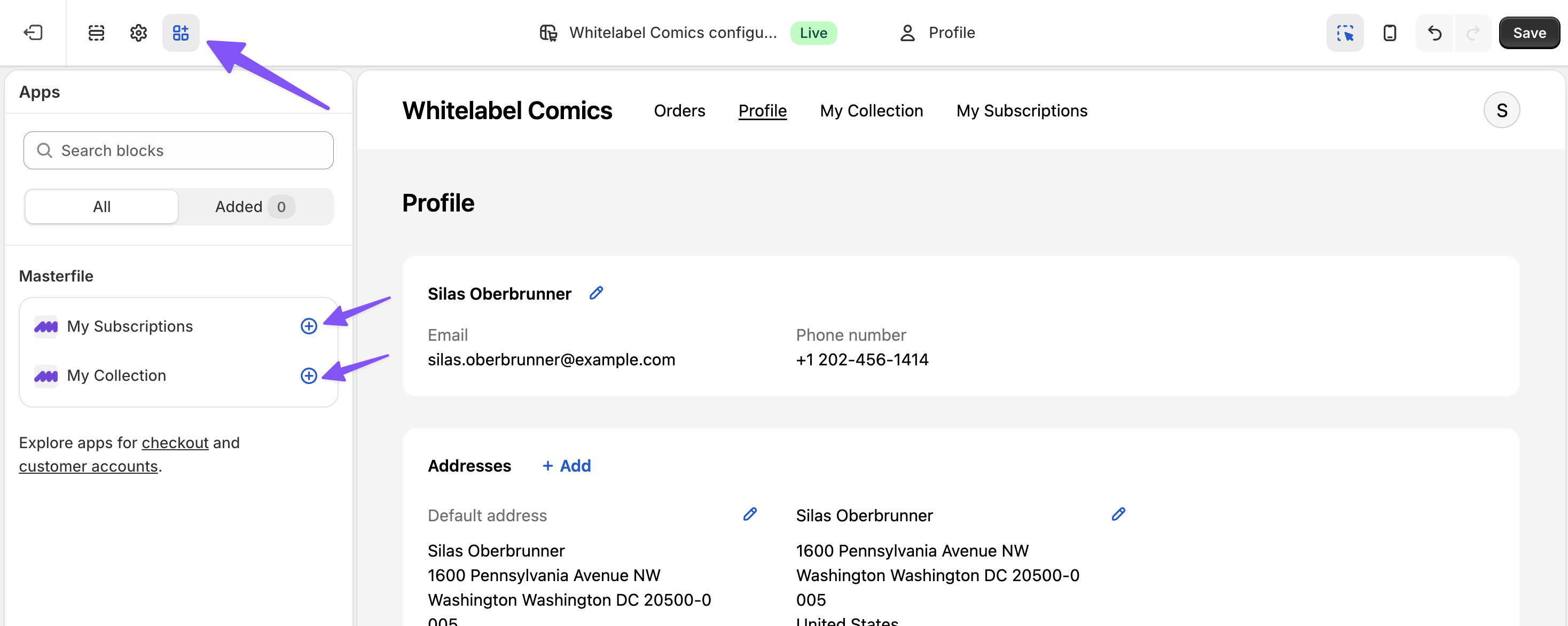
It is normal to see an authentication error message in the editor preview here. This is because customer requests are not authenticated in the editor preview.
Click Save. The pages you added now appear in the customer-account navigation for every shopper.
What happens next
Nothing else to configure. Each page renders automatically per shopper — empty until they have a subscription, an order, or a digital edition entitlement. See About customer accounts for what to expect on the comics pages, and About digital edition access for how entitlements drive the Digital Editions page.
If a customer says the comics pages aren't showing up, see A customer says their account pages are missing. For the Digital Editions page, see Digital Editions block is missing from customer accounts.