Choose a plan
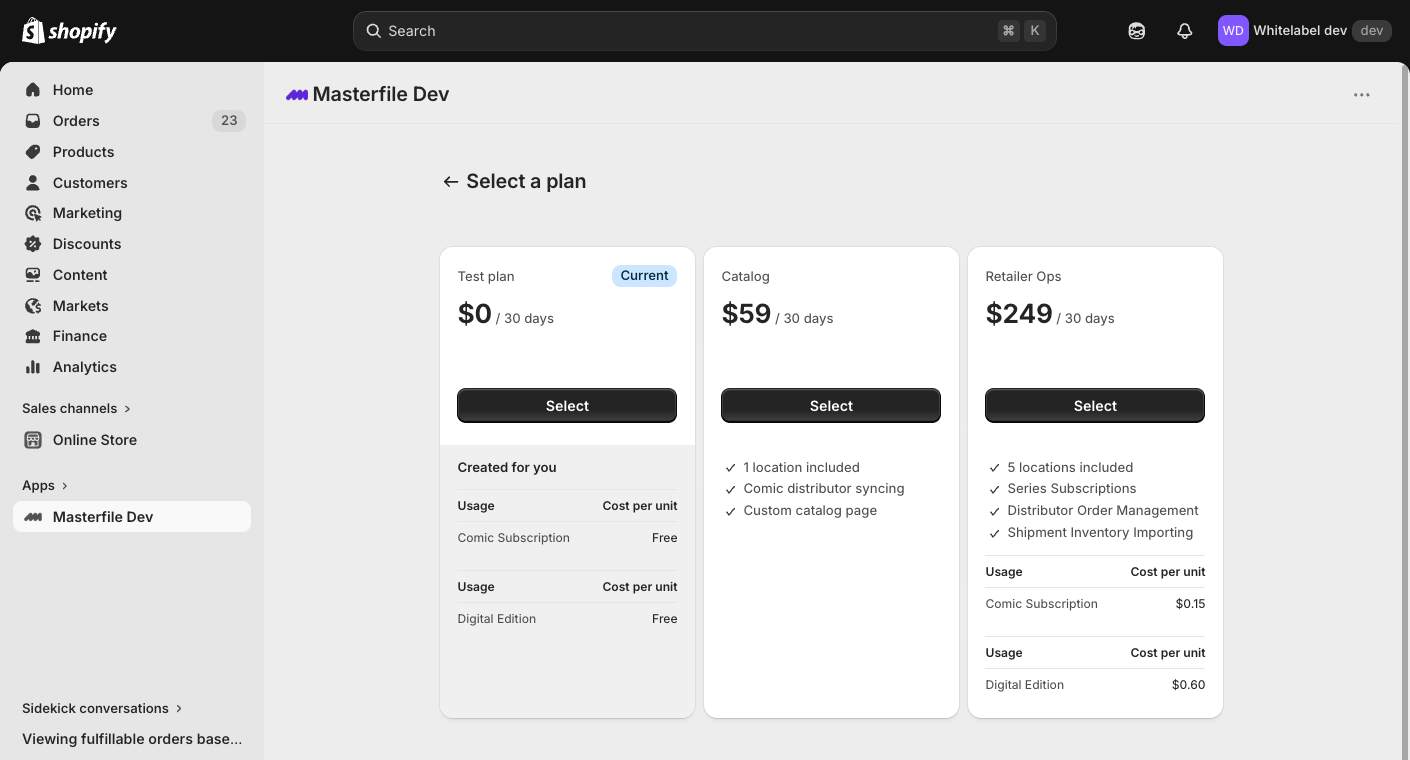
A paid plan is required from day one — there's no free trial. The rest of Masterfile is gated until billing is active.
Pick a plan in Shopify
Right after you install Masterfile from the Shopify App Store, Shopify shows the Masterfile pricing page. Choose the plan that fits your store and approve the subscription in Shopify.
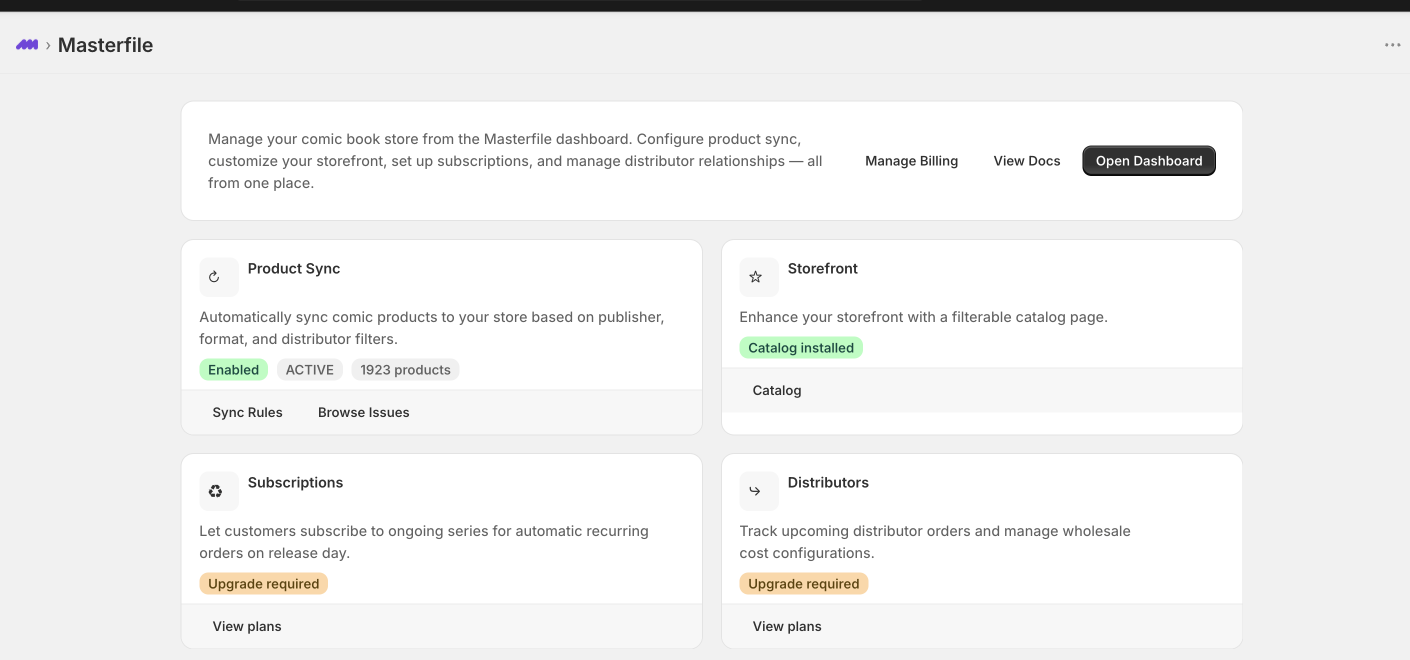
Land on the Masterfile home in Shopify admin
Once billing is active, Shopify drops you back into Masterfile in Shopify admin. The embedded app shows the home page — a snapshot of Product Sync, Storefront, Subscriptions, and Distributors. The full Masterfile Dashboard lives behind Open Dashboard.
In Shopify admin, hover over Masterfile under Apps in the left rail and click the pin icon. The app stays one click away from anywhere in your admin.
Change or cancel billing
Open Masterfile in Shopify admin and click Manage Billing. Shopify manages plan changes, cancellation, pricing, usage billing, and prorations.
What happens next
Configure sync rules to start pulling comics into your store.