About customer accounts
Masterfile adds up to three pages to a shopper's Shopify customer account: My Subscriptions, My Collection, and Digital Editions. They're the shopper's self-serve portal for everything Masterfile tracks — the series they subscribe to, the catalog of what they've bought from you, and the digital editions they're entitled to read.
All three render as Shopify customer account extensions. They only appear once you've added them as blocks in the customer-account theme editor. See Enable Shopify customer account pages.
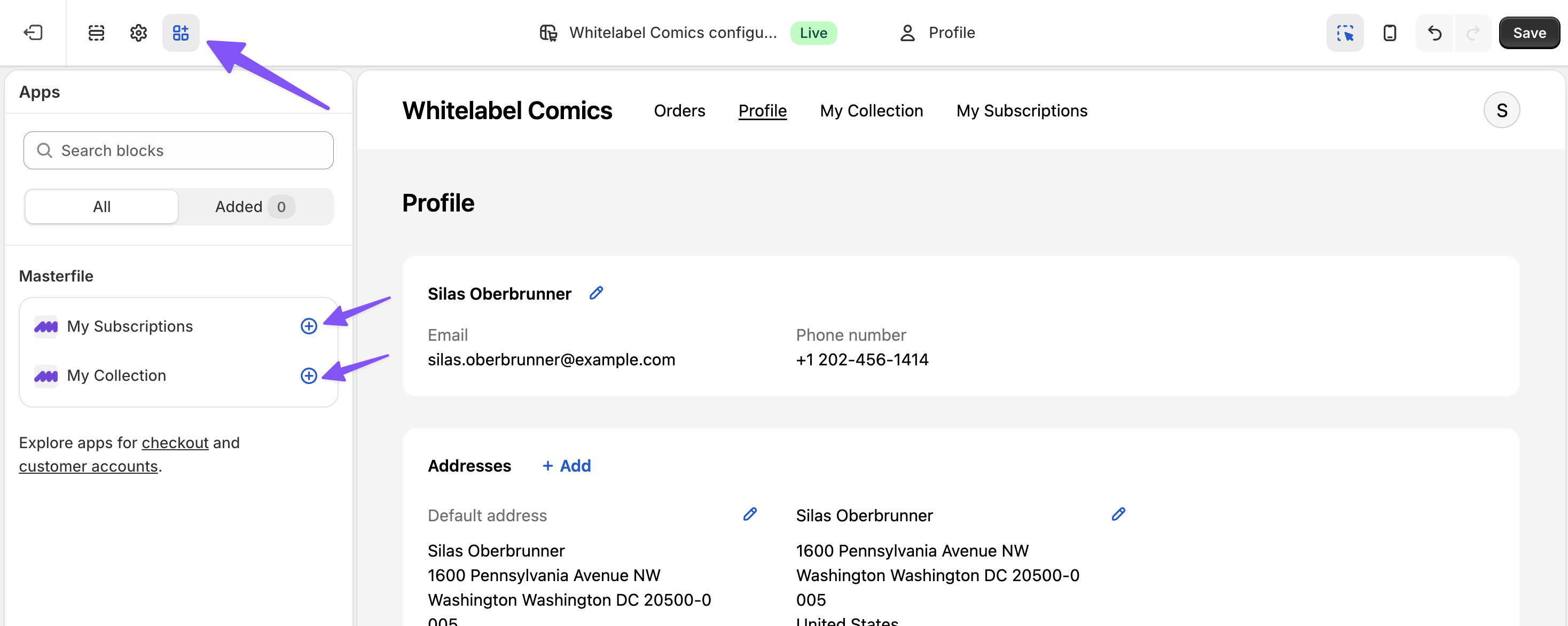
Nothing else to configure — each page renders per shopper automatically once the blocks are added.
My Subscriptions
Lists every series the shopper has ever subscribed to, one card per series, active or not. Status, next bill date, and issues billed so far are visible at a glance.
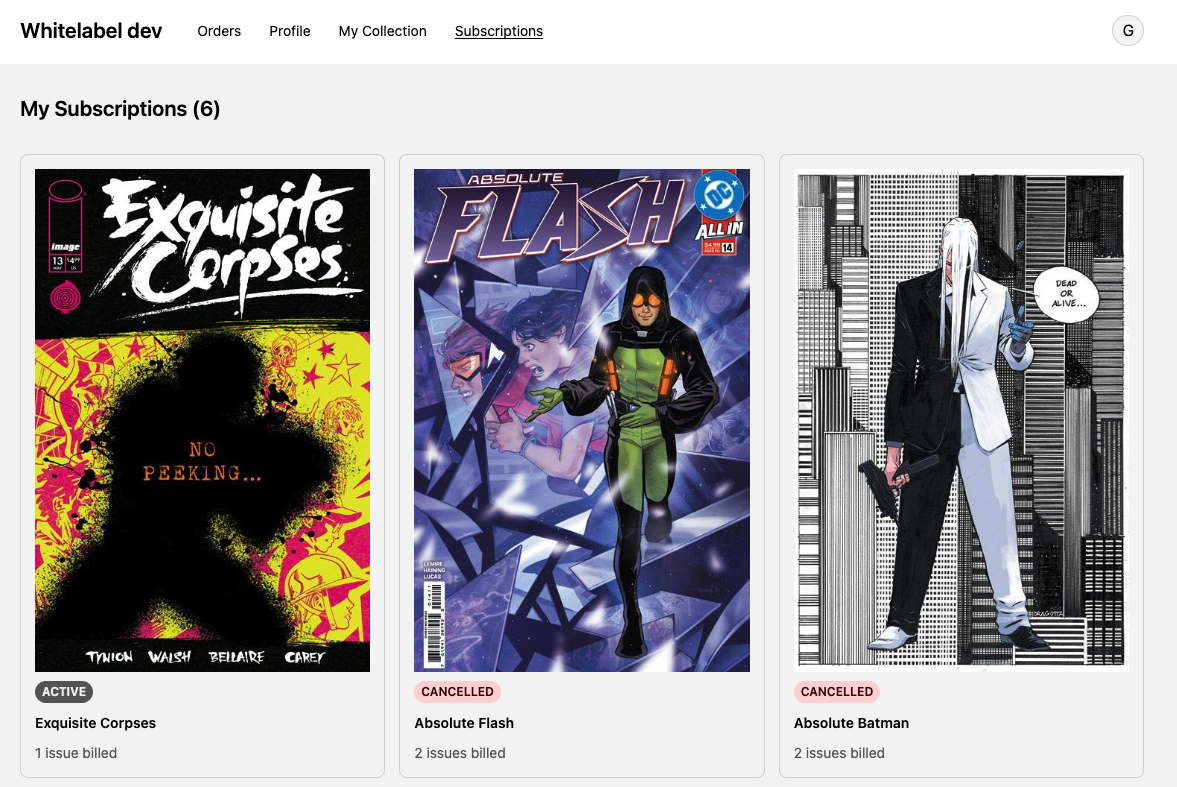
Opening a card shows the detail: billing history for that subscription, a link to the original order, and a Cancel Subscription button.
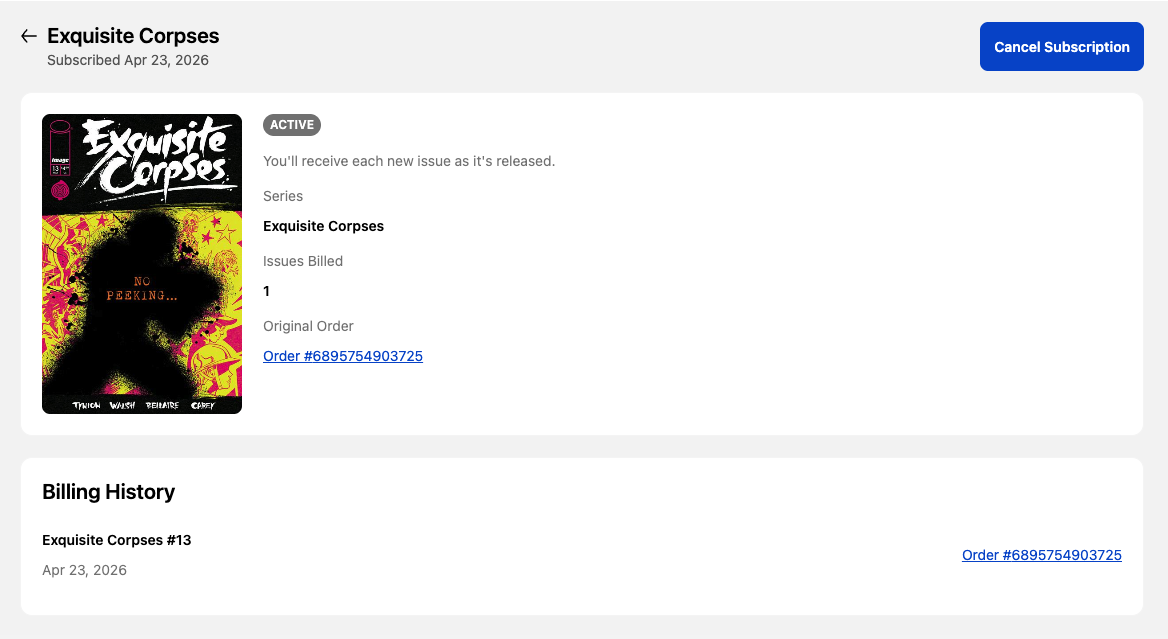
Customers can:
- Cancel a subscription outright.
- View the full billing history, including retries on failed charges.
Customers cannot change the price, cover, or cadence — those are driven by the series itself. See About subscriptions for what a subscription bills and when.
Payment methods live in Shopify, not Masterfile. Updating a card is a standard Shopify customer-account flow.
My Collection
A searchable catalog of everything the customer owns from your store, built automatically from their order history. One card per variant, sorted newest-first by default. This includes all products, not just the ones synced by Masterfile.
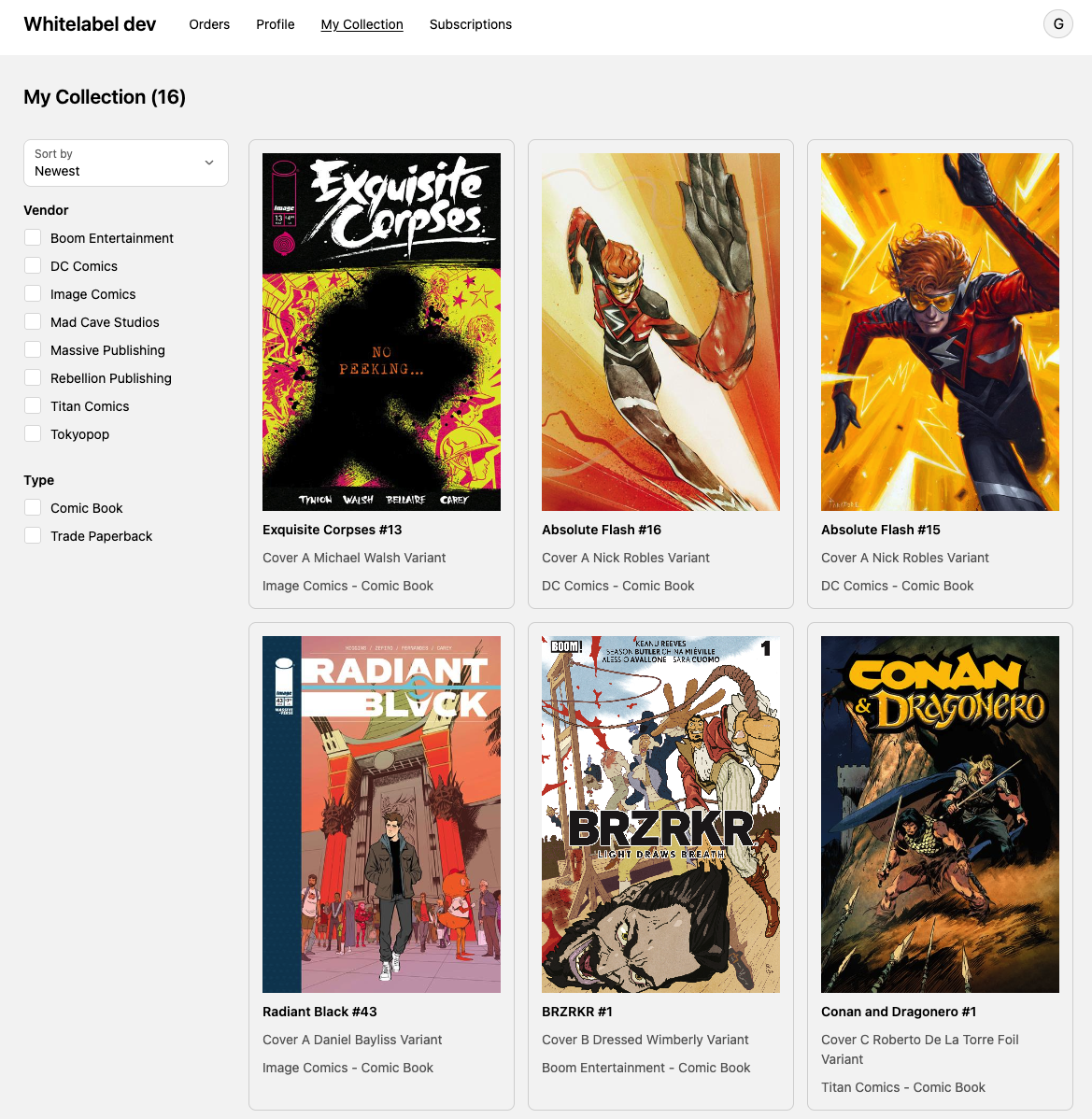
Filters: Vendor and Type, populated from what the customer actually owns — if they've only bought from one publisher, Vendor doesn't appear at all. Sort options are newest, oldest, and title A–Z or Z–A.
Clicking a card opens a detail modal with the full comic metadata Masterfile tracks — description, variant, vendor, type, SKU, price, age rating, creators, catalog month, cover, distributor, FOC and on-sale dates, series, and issue number.
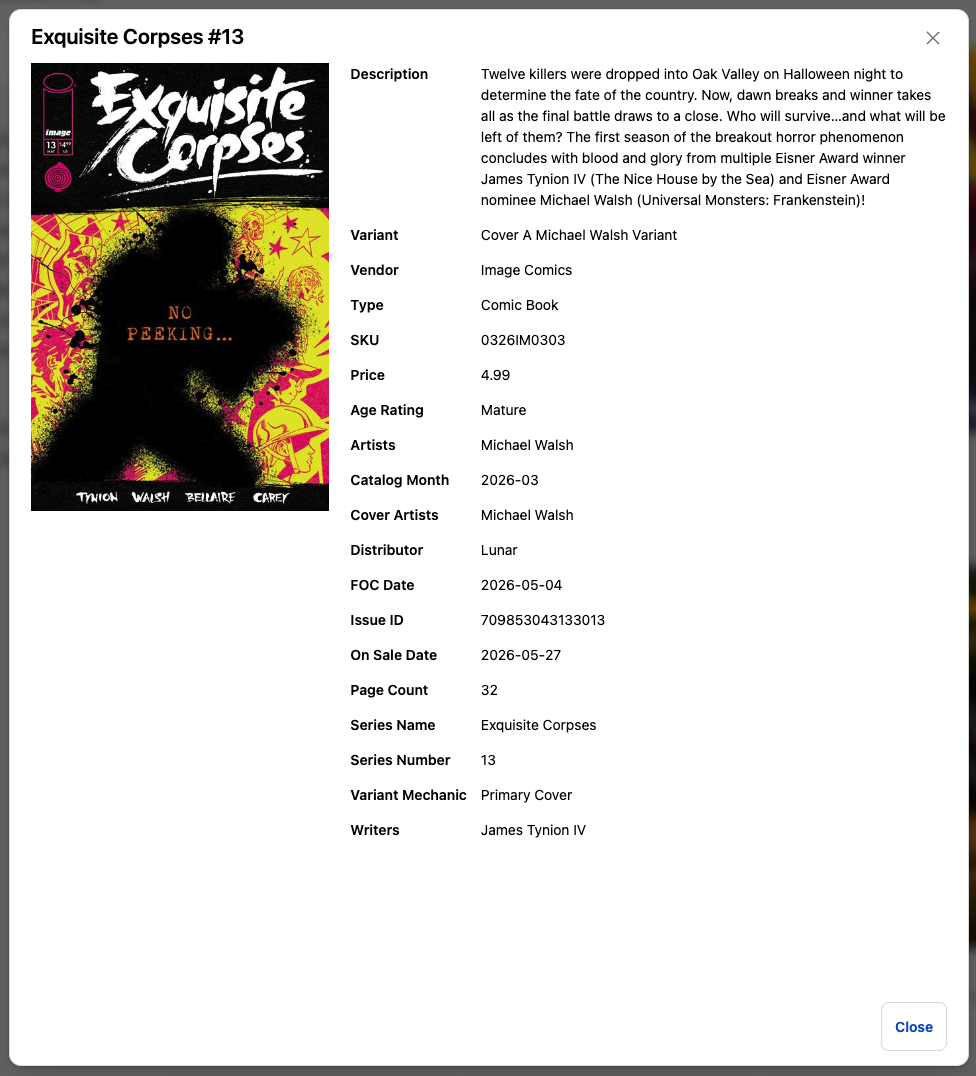
The collection is read-only — shoppers can browse and filter, but can't edit. It's built from their order history and updates as new orders come in.
Digital Editions
A grid of every digital edition the customer is entitled to read, one card per edition. Each card shows the project's cover, the project and edition titles, and the date the entitlement was granted.
Clicking a card opens the Masterfile-hosted viewer in the same browser — the customer's Shopify sign-in is the only login involved. For how entitlements get there and how the viewer enforces them, see About digital edition access.
The page is read-only — shoppers can open editions but can't share or transfer them.
Why customers need a Shopify account
All three pages live inside Shopify's customer account portal. If customer accounts are off in Shopify settings, none of them render — shoppers can check out as guests but have no portal to view subscriptions, collections, or digital editions in.
Guest checkouts still produce subscriptions, collection entries, and digital edition entitlements in the backend. They surface as soon as the shopper creates (or signs into) a Shopify account using the same email.
If a customer says their account pages look empty or missing, see A customer says their account pages are missing for the comics pages or Digital Editions block is missing from customer accounts for the Digital Editions page.
What's automatic vs. what you do
Automatic:
- Rendering each page inside Shopify customer accounts.
- Populating My Subscriptions from active and past subscriptions.
- Populating My Collection from fulfilled orders.
- Populating Digital Editions from entitlements granted when each order is paid.
- Honoring customer cancellations in real time.
You:
- Enable customer accounts once in Shopify admin.
- Guide customers to the right page when they ask for help — see the Comics customer support guides and Help a customer access their digital edition.