Edit comic metafields
Use this when synced data is wrong on a product — a miscredited writer, a wrong age rating, a typo in the series name. Editing fixes the data on that one product without waiting for the upstream catalog to be corrected.
Open the editor
In Shopify admin, open the product (for product-level fields) or the variant (for variant-level fields). On the COMET Product Fields or COMET Variant Fields block, click Edit. If you don't see those blocks, pin them first.
The modal lists every COMET field for the resource — series, distributor, age rating, credits on the product side; on-sale and FOC dates on the variant side.
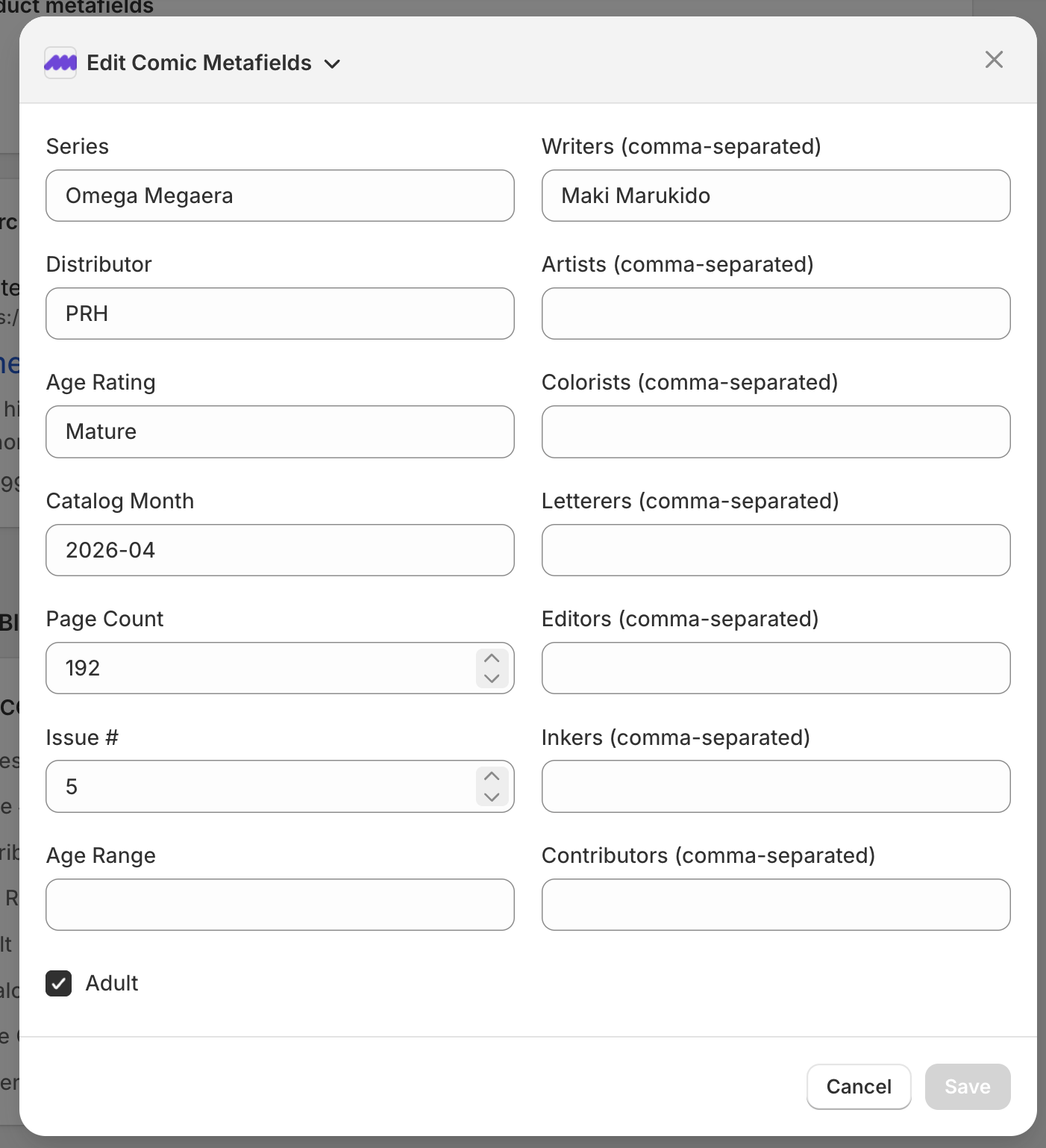
Edit the fields you need to fix. Lists (writers, artists, etc.) are comma-separated. Click Save.
What happens after you save
- The metafield is written directly to Shopify. The Comic Details storefront block and catalog filters pick up the change on the next page load.
- Future syncs leave that field alone on that product. Sync compares each field against the value it last wrote — anything different is treated as a merchant edit and preserved. See Overrides for the full mechanic.
- Every edit is logged and reported back to Masterfile automatically — no need to file a separate report. We use that signal to fix the upstream catalog so other stores benefit.
Variants
Variant fields work the same way. Edit on the COMET Variant Fields block opens a modal scoped to that variant.