About series
A series is the ongoing run that individual issues belong to — Absolute Batman, Saga, Ultimate Spider-Man. Issues are the things a customer buys; series are how Masterfile groups them so subscriptions, billing, and catalog filters can hang off a single stable identity.
Where series come from
Series are created by product sync alongside the issues themselves. When a new issue arrives in a distributor feed, Masterfile attaches it to an existing series or creates a new one. You don't author series by hand — they appear as issues appear.
Every synced issue belongs to exactly one series. Products you create manually in Shopify don't.
The series list
Open Series for every series Masterfile has ever tracked for your store. Columns cover the identifying fields: publisher, imprint, series code, UPC prefix, issue count, and max issue.
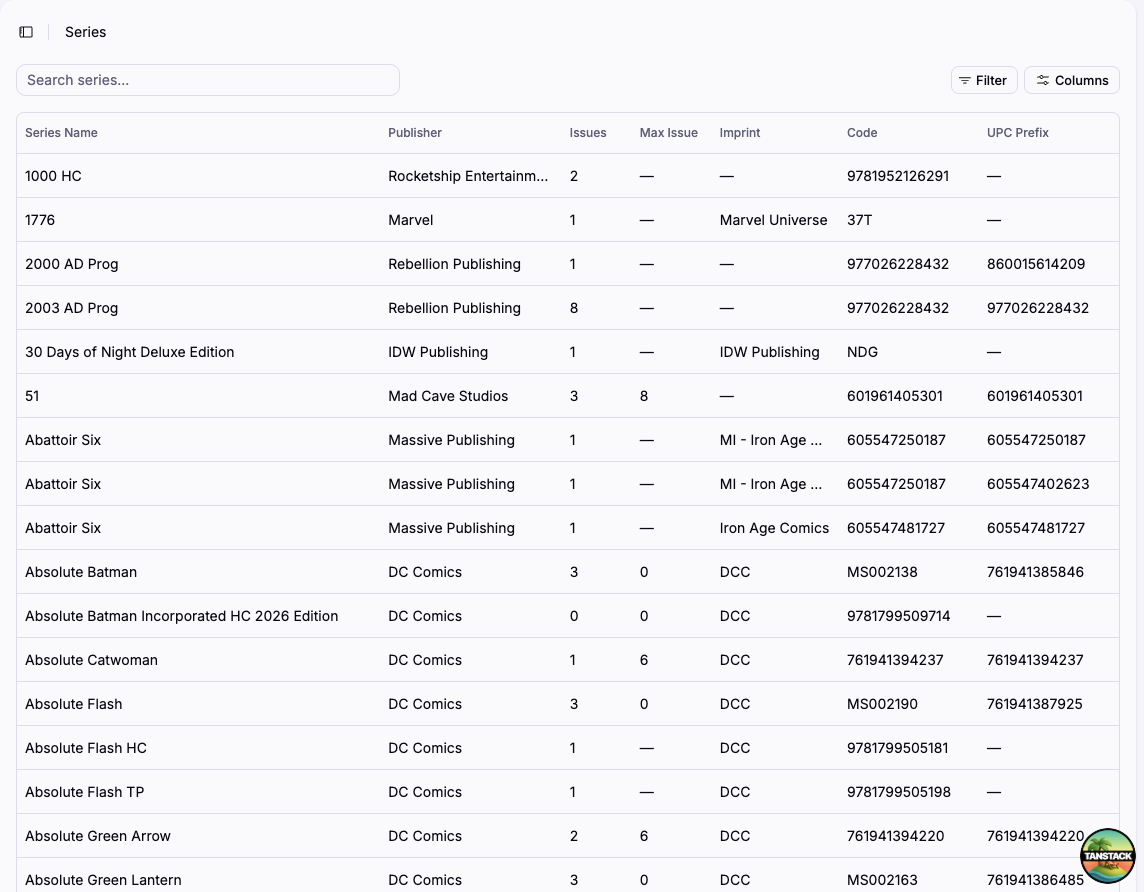
Issue count is the number of distinct issues Masterfile has seen in this series — not the number currently on sale. Max issue is the highest issue number seen; a gap there can signal a feed mismatch worth investigating.
Inside a series
The detail page is organized around three things a series accumulates over time: its issues, its subscribers, and its billing history.
Identity
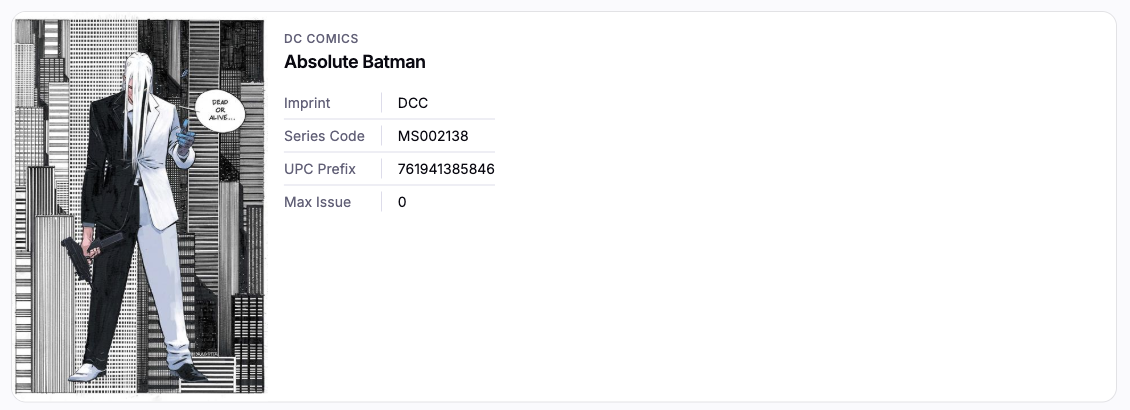
The hero card shows the series' publisher, imprint, series code, UPC prefix, and max issue — the data Masterfile uses to match incoming feed rows to this series.
Issues
Every issue that has ever been synced into this series, newest first, with FOC date, on-sale date, item (variant) count, and status. Click a row to open the issue detail.
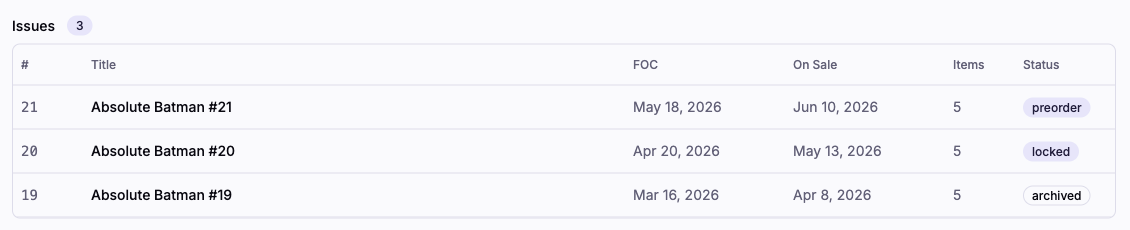
The status badge reflects where the issue sits in its lifecycle — preorder, locked, on sale, archived. See About pre-orders for how those transitions are driven.
Subscribers
Every subscription ever created against this series, grouped by status. The counts at the top of the section break out active, paused, cancelled, expired, and failed.

Click a row to open the subscription contract.
Billing history
One row per billing cycle Masterfile has run for this series — when a new issue triggered billing, how many contracts it tried to charge, and how many succeeded or failed. Click a cycle to see per-contract results.
How it relates to the rest of the app
- Issues roll up into a series. An issue's page links back to the series it belongs to.
- Subscriptions are always to a series, not to an issue. When a new issue in that series releases, every active subscription is billed. See About subscriptions.
- Distributor orders pull from subscriptions, which are scoped to a series — see About distributor orders.
What's automatic vs. what you do
Automatic:
- Creating series from distributor feeds and attaching new issues to them.
- Tracking issue count, max issue, and the subscriber and billing history per series.
You:
- Nothing routine. The series page is a read-only pivot for investigation — open it when a subscriber asks about billing on a specific run, or when you're checking whether a series is fully synced.