A theme block isn't appearing on my storefront
Each Masterfile block hides itself when its data conditions aren't met — that's by design and is usually the cause. Work through the checks below before assuming something is broken.
1. Confirm the block is on the right template
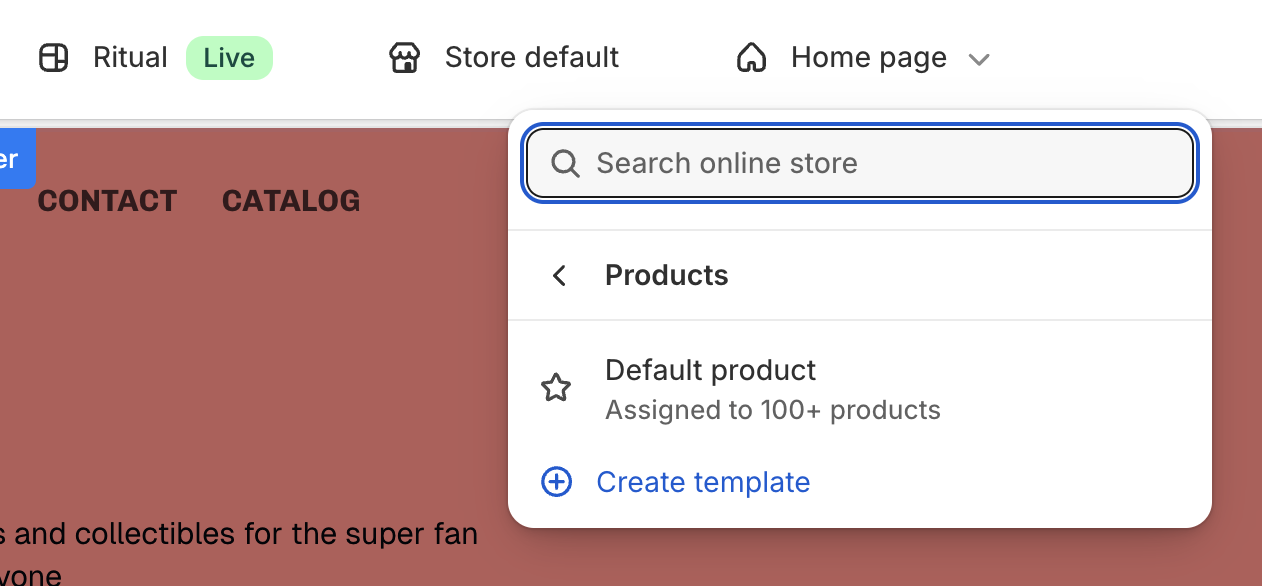
Open Online Store → Themes → Edit theme on your live theme. In the top template selector, choose the template the affected product actually uses — that may be Products → Default product or a custom template (e.g. Products → comic).
Open the Apps panel and confirm the block is added under Product information.
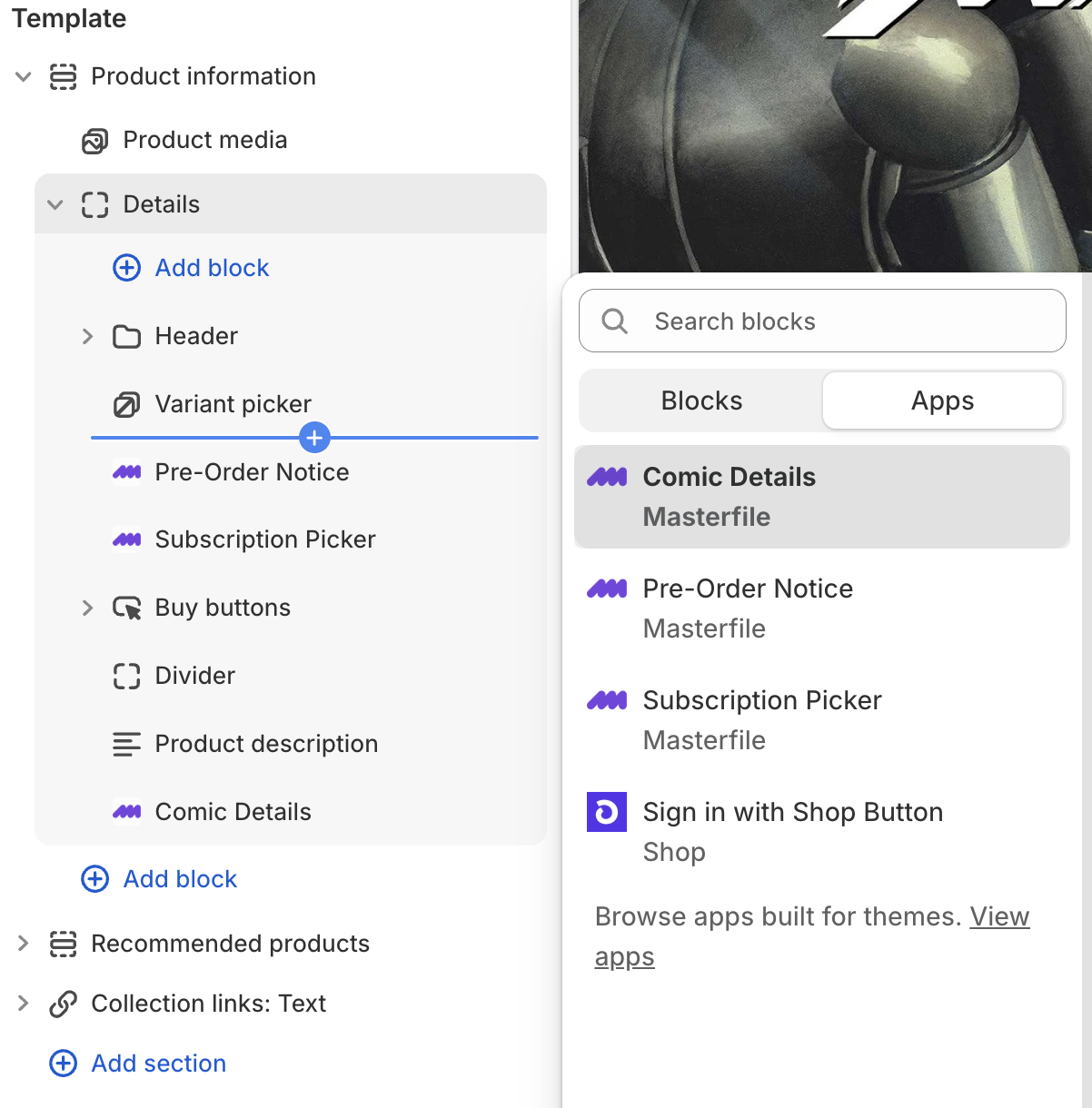
If the block is missing on this template, add it and save. See Configure your Shopify product theme.
2. Confirm your theme supports app blocks
If the Apps panel doesn't list the Masterfile blocks at all, your theme isn't compatible. Only Online Store 2.0 themes support app blocks; older "vintage" themes don't. Switch to an OS 2.0 theme to use Masterfile blocks.
3. Check the block's visibility rules
Each block hides automatically when there's nothing to show.
Comic Details
Hides when the product has no COMET metafields on either the product or any variant. The usual cause is a product that wasn't synced by Masterfile — manually added products have no COMET data, so the block has nothing to render. Synced products always have at least the product-level fields (series, writers, artists).
Individual rows can also be hidden by toggling fields off in the block settings — see Choose which comic fields display.
Pre-Order Notice
Hides when no variant has an on-sale date in the future. Once the on-sale date passes, the badge disappears automatically — that's correct behavior, not a bug. Open the issue on Issues or check the COMET Variant Fields admin block on the variant to confirm the on-sale date.
See About pre-orders for the full lifecycle.
Subscription Picker
Hides when the product has no selling plan attached. See The Subscription Picker isn't showing on a product for the full diagnostic.
Still stuck
If the block is on the right template, the theme supports app blocks, and the data conditions are met
— email support@masterfile.co with the storefront URL and which block is missing. Include what you've already checked.