Update distributor costs
Requires the Comics Catalog plan (or Retailer Ops). Compare plans.
The usual reason to revisit your distributor costs is hitting a new volume tier and qualifying for a better discount. Contract changes and adding a new distributor are the other triggers, but those are rare.
If you haven't set costs yet, start with Set your distributor costs.
Change a value
Open Cost Discounts. Each card — PRH and Lunar — saves independently.
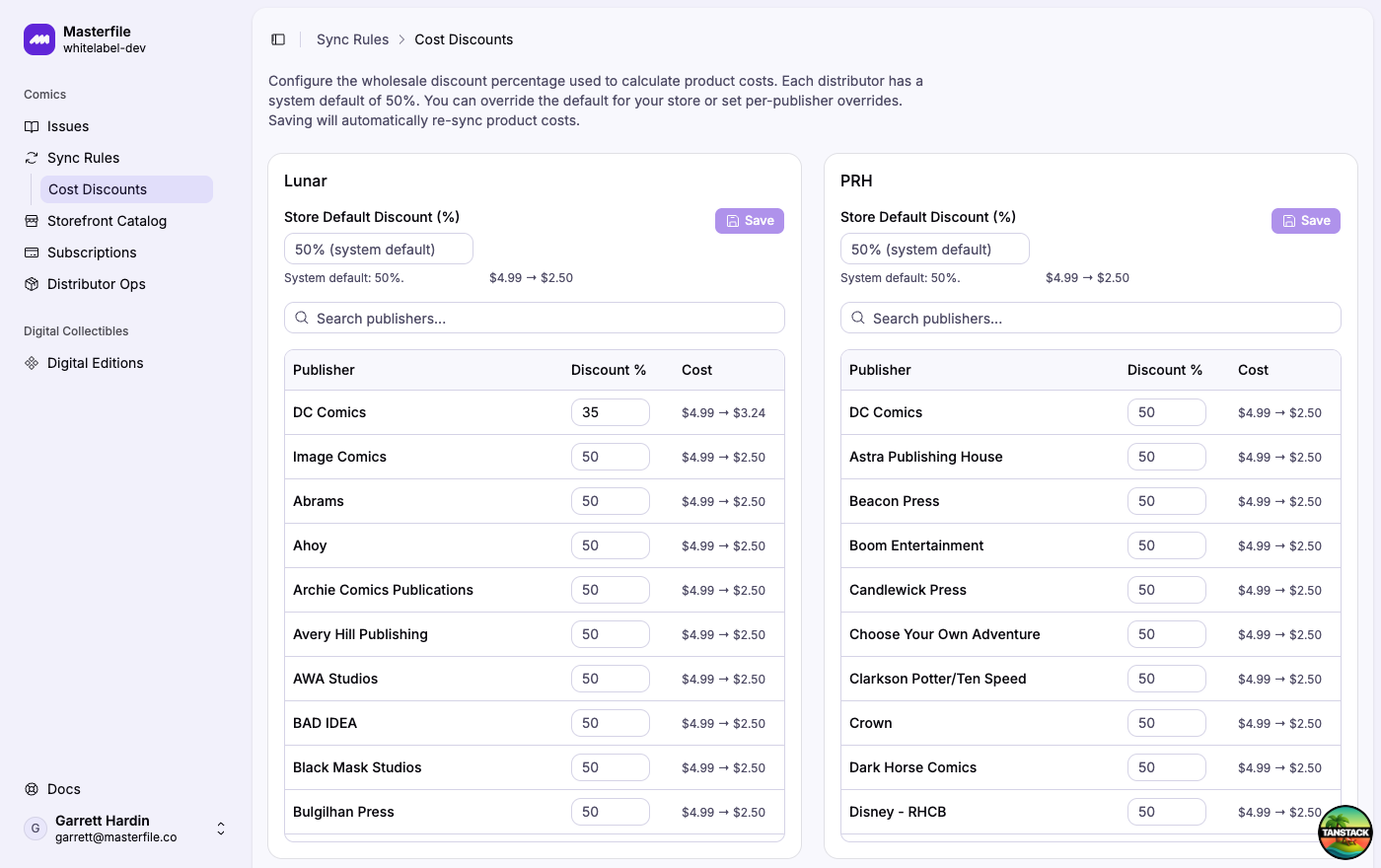
- Store default. Update the Store Default Discount field.
- Per-publisher override. Edit the row in the Discount % column.
- Remove an override. Blank the cell. The row falls back to the store default.
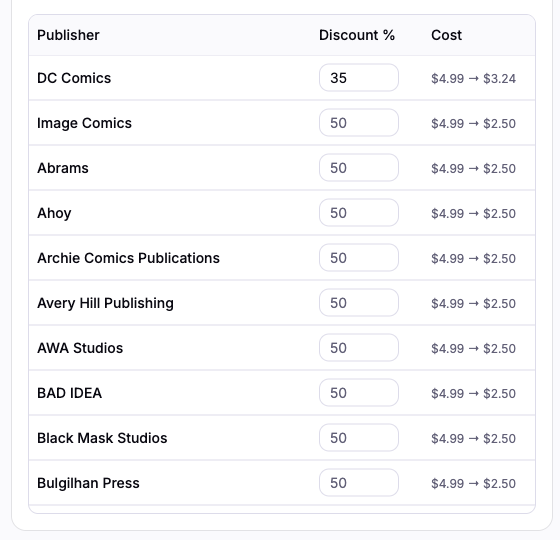
Click Save on the card.
What happens on save
Saving re-syncs unit costs on every product the card affects. Retail prices, inventory, and metafields are not touched.
The new cost lands on the variant's Cost per item field in Shopify. Any manual edits you made to that field directly in Shopify are preserved — the sync treats a cost you changed in Shopify the same way it treats an edited COMET metafield.
Related
- Set your distributor costs — initial setup.
- About product sync — how overrides are detected and preserved.