Set your distributor costs
Shopify stores a unit cost on every variant and uses it to calculate margin, profit, and COGS. Masterfile fills that cost in from the distributor's MSRP and the wholesale discount you receive — this page is where you enter the discount.
Open Cost Discounts. You'll see one card per distributor: PRH (Penguin Random House) and Lunar.
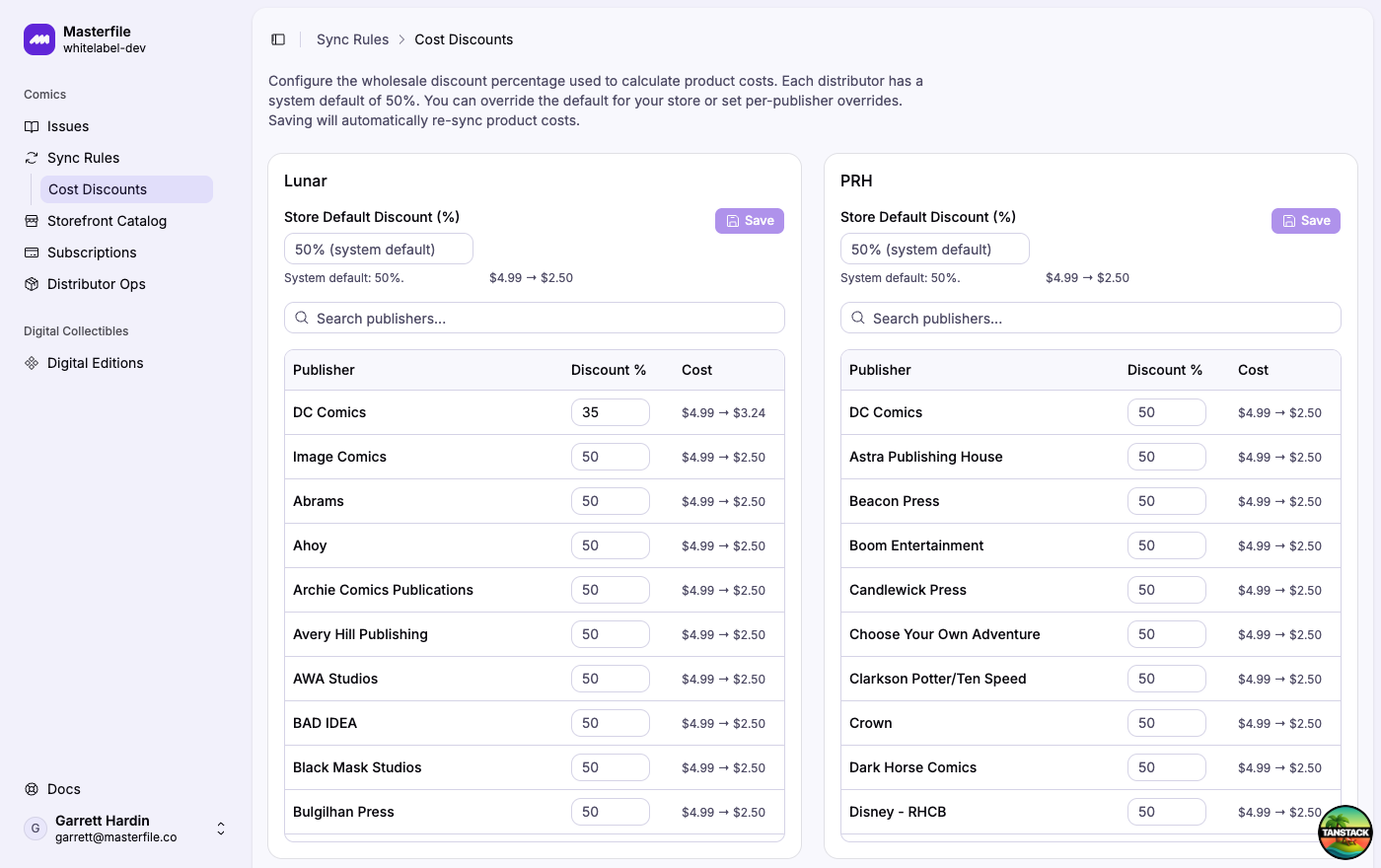
For each issue, Masterfile resolves the discount in this order: per-publisher override → store default → 50% system default. Each card saves independently.
1. Set the store default
Enter your negotiated discount in Store Default Discount. The preview to the right shows what a $4.99 comic would cost at that rate.
PRH is generally a flat 50%, matching the system default. Lunar publishes per-publisher rates in your account at lunardistribution.com/account under Publisher Discounts.
2. Add per-publisher overrides
If your contract has different terms for specific publishers, enter them in the Discount % column. A blank cell uses the store default.
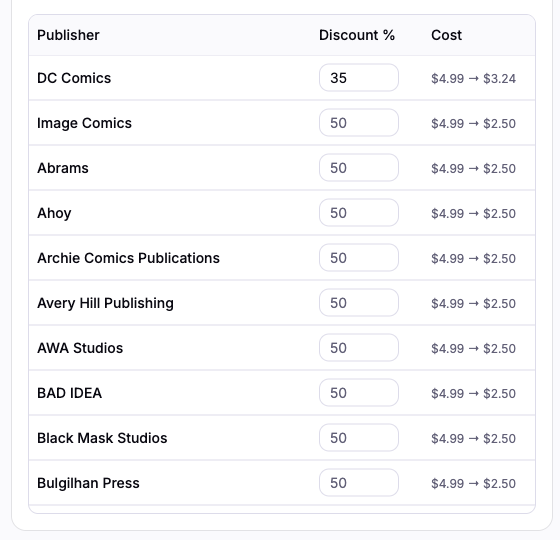
Click Save on the card. Saving re-syncs unit costs on every affected product — retail prices and inventory are untouched.
What happens next
Shopify's margin, profit, and COGS reports pick up the new costs right away. Products created later by sync rules use your configured discounts automatically. Revisit this page whenever your contract terms change.