Resync an edition to Shopify
Sync runs automatically every time you publish or republish a project. There's nothing to do for the common case. Use this guide when a sync has stalled or failed, or when the Shopify product looks out of date.
Note: Masterfile syncs one Shopify product per project, with one variant per edition. There's no per-edition resync; you always resync the whole project.
1. Find the project's Shopify sync card
Open the project. The Shopify sync card in the right sidebar shows the current state.
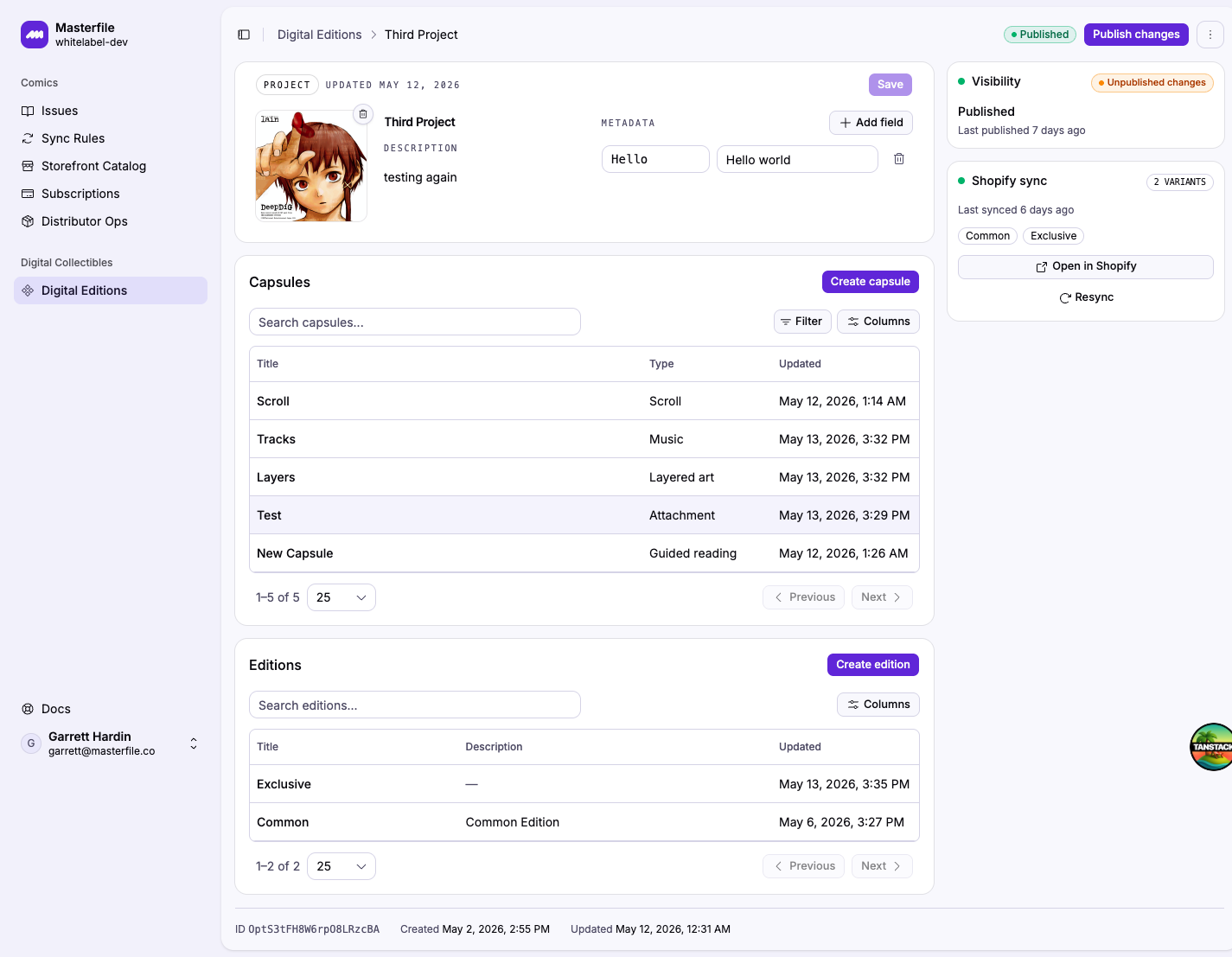
Status colors:
- Synced (green). The Shopify product matches the last published snapshot. Last synced timestamp shows when.
- Pending (amber, pulsing). A sync is in flight. The card refreshes every few seconds; wait it out.
- Failed (red). The last sync errored. The card shows the error message and a reason code below it.
- Idle (grey). The project hasn't been published yet, so no Shopify product exists.
2. Resync
Click Resync to re-push the current published snapshot to Shopify. The button is also labelled Retry sync when the previous attempt failed. Sync moves to Pending and flips back to Synced (or Failed) when it completes.
Resync uses the published snapshot, not the current draft. If you've edited the project since last publishing and want those changes in Shopify, use Publish changes in the page header instead. That publishes and syncs in one step.
When to resync
- You see Failed in the sync card after a publish.
- A teammate edited the Shopify product directly and you want Masterfile's version to win again.
- Variant media or metadata in Shopify drifted from what's in Masterfile and you want it reset.
Sharp edges
- Sync covers the project's product, variants, metadata, and media. Inventory, pricing, and selling-channel settings on the Shopify side are not overwritten. Set those in Shopify directly.
- A failed sync doesn't change customer visibility. Entitled customers keep their last-good viewer access while you sort it out.
- If Resync keeps failing with the same error, the reason code in the card tells you where to look (e.g.
MEDIA_UPLOAD_FAILED,VARIANT_LIMIT_REACHED). Fix the underlying Shopify-side issue, then retry.
Related
- Publish a digital editions project. First-publish flow and what gets pushed.
- Edition can't be opened by a customer. When sync is fine but a customer still can't open the viewer.