About product sync
Product sync is the pipeline that creates and maintains Shopify products from the Masterfile comic catalog. You configure which issues to carry; Masterfile keeps their data accurate as the distributor's catalog evolves.
The pipeline
Data flows in one direction:
Distributor catalogs → Masterfile → Your Shopify store
- Distributors (PRH and Lunar) publish an authoritative catalog: titles, covers, credits, FOC date, on-sale date, MSRP, barcode, format.
- Masterfile ingests and normalizes all of it into the Issues database. Each issue is one row with one or more items (physical SKUs — regular cover, variant covers, hardcover, etc.).
- Shopify products are created — and kept up to date — from that data when an issue matches your sync rules.
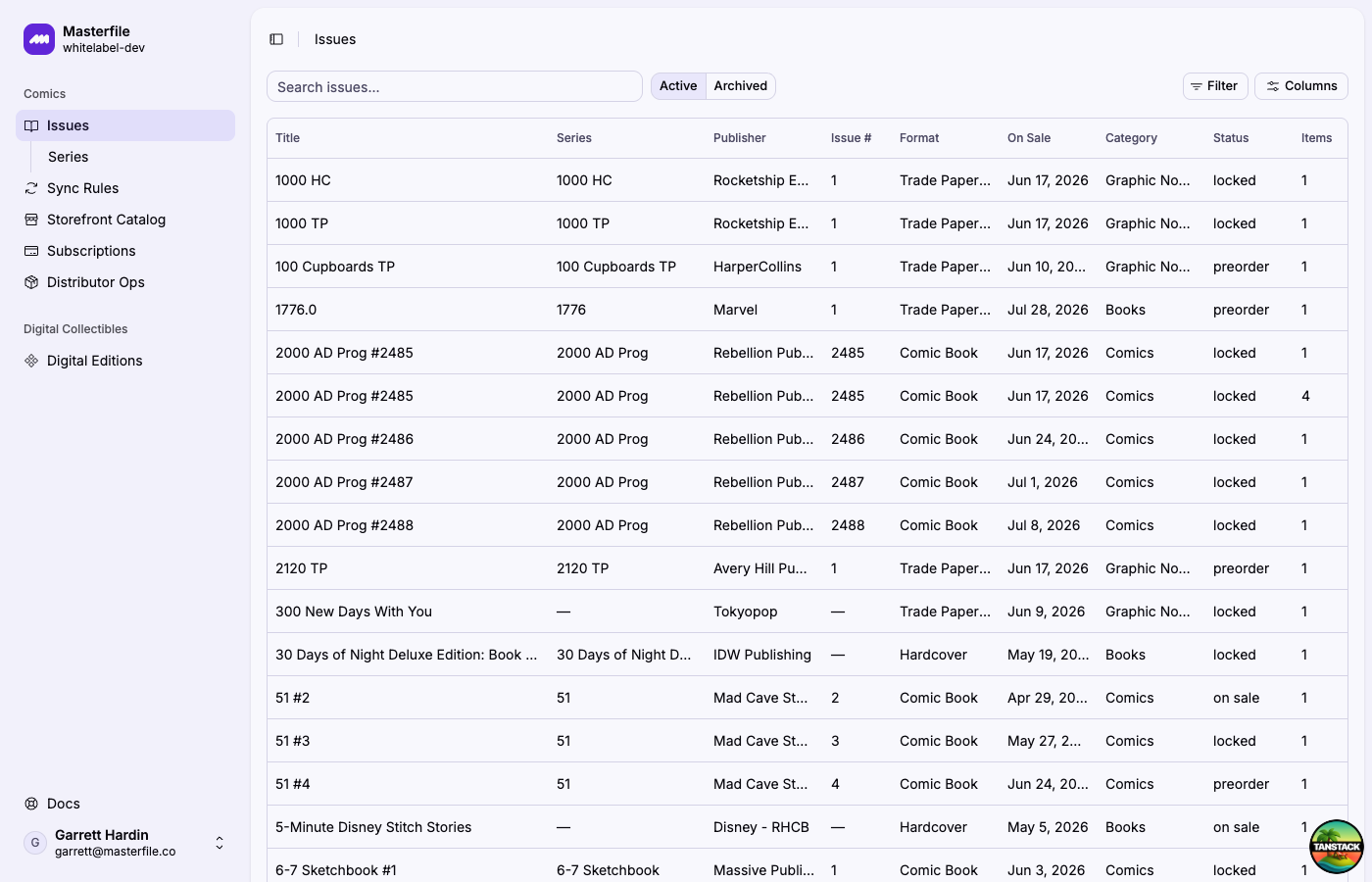
Open any issue to see the full source record: metadata, items, and the Store Sync panel confirming which Shopify product it's bound to.
What sync rules select
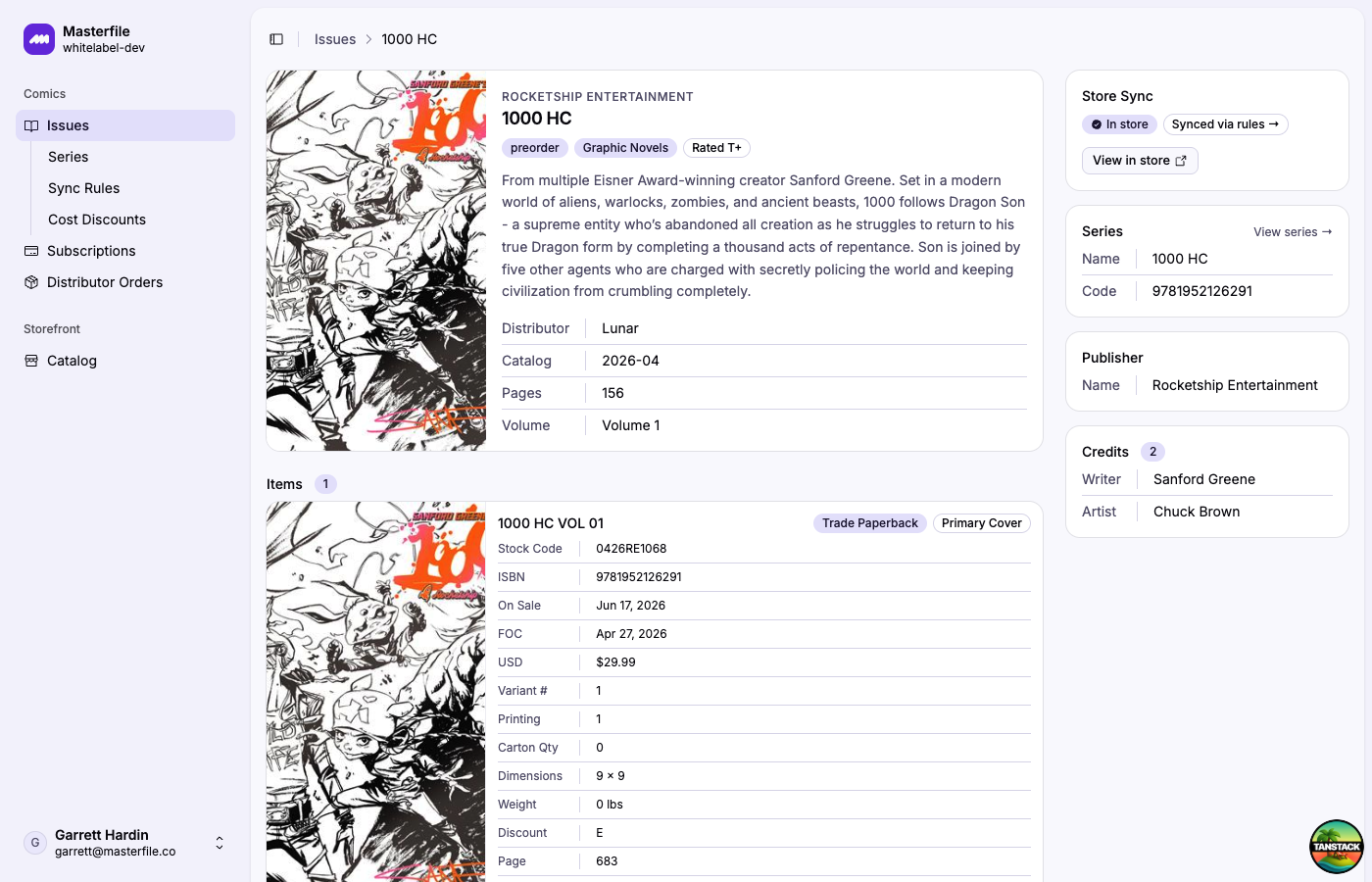
Sync rules are the filter between the Masterfile catalog and your store. They're organized into rule groups: an issue becomes a Shopify product if it matches any group, and within a group every property you've added (distributor, publisher, format, age rating, series, artist, writer) must match.
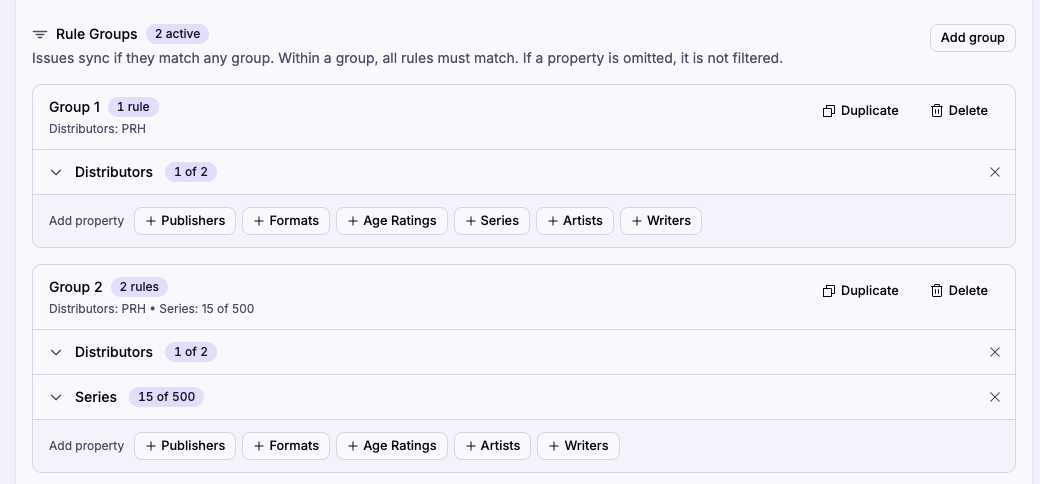
That structure handles both broad strokes ("everything from this distributor") and curated carve-outs ("all of Marvel plus a handful of Image titles") in the same place. You can also add an individual issue that none of your groups match — useful for a one-off pickup outside your normal rules.
What triggers a sync
Masterfile syncs continuously. A product is created or updated whenever any of these happens:
- Upstream catalog change. The distributor updates an issue (cover art, FOC/on-sale date, MSRP, credits) — Masterfile pushes the change to the existing Shopify product.
- New issue enters the catalog. If it matches your rules, a product is created with your chosen status and sales channels.
- You save sync rules. Every save re-evaluates the catalog against the new rules and creates anything newly eligible.
- You add an issue individually.
There is no manual "sync now" button. Changes propagate on their own.
What sync writes — and what it leaves alone
Sync writes the fields it sources from the distributor: title, description, images, vendor, product type, comic metafields, and variant price, barcode, and weight. Anything else — inventory, collections, tags you add, SEO fields — is yours to manage.
Sync also respects manual edits. If you edit a title, description, or price directly in Shopify, later syncs preserve your change.
Overrides
Comic metafields (writer, artist, age rating, series, etc.) are edited through the COMET Product Fields block on the Shopify product page. Pin the block once and it appears on every product. Click Edit on a field to open the override modal.
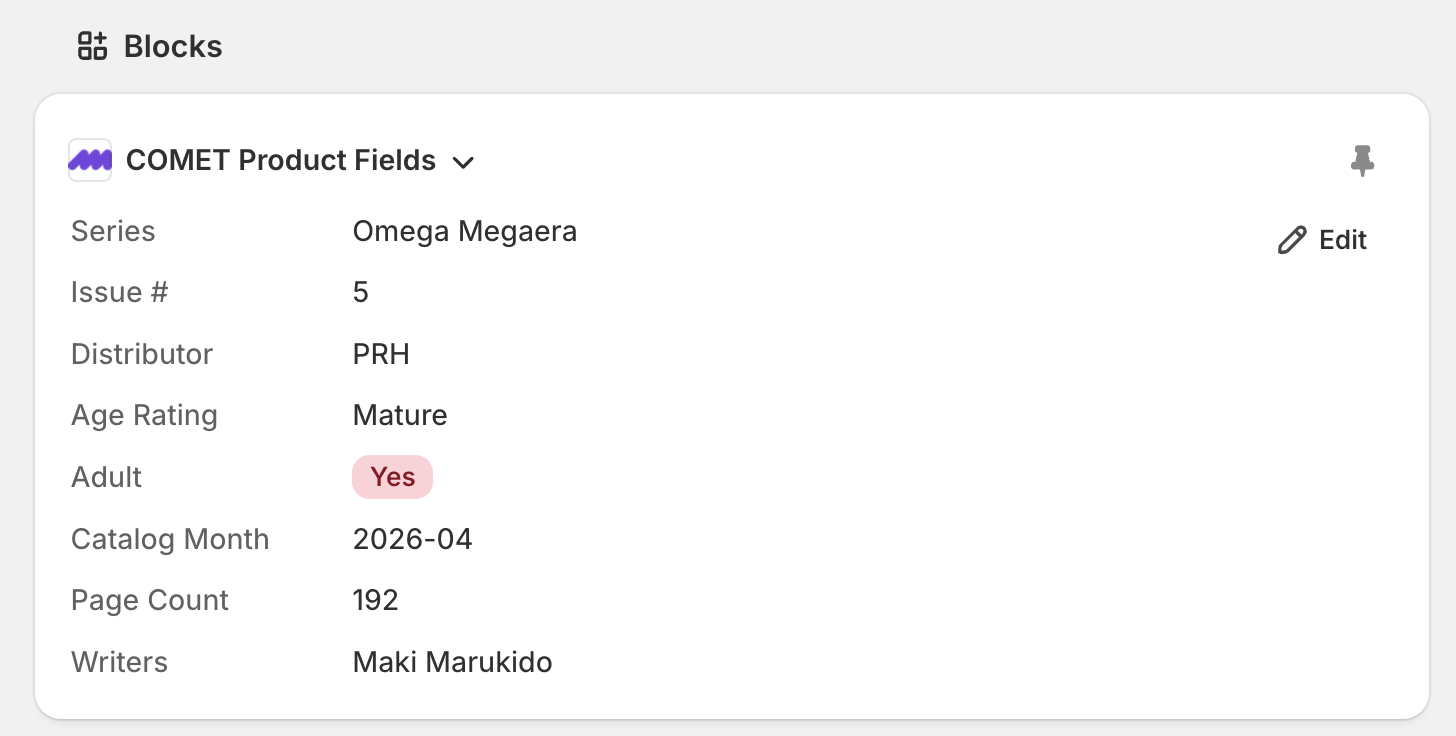
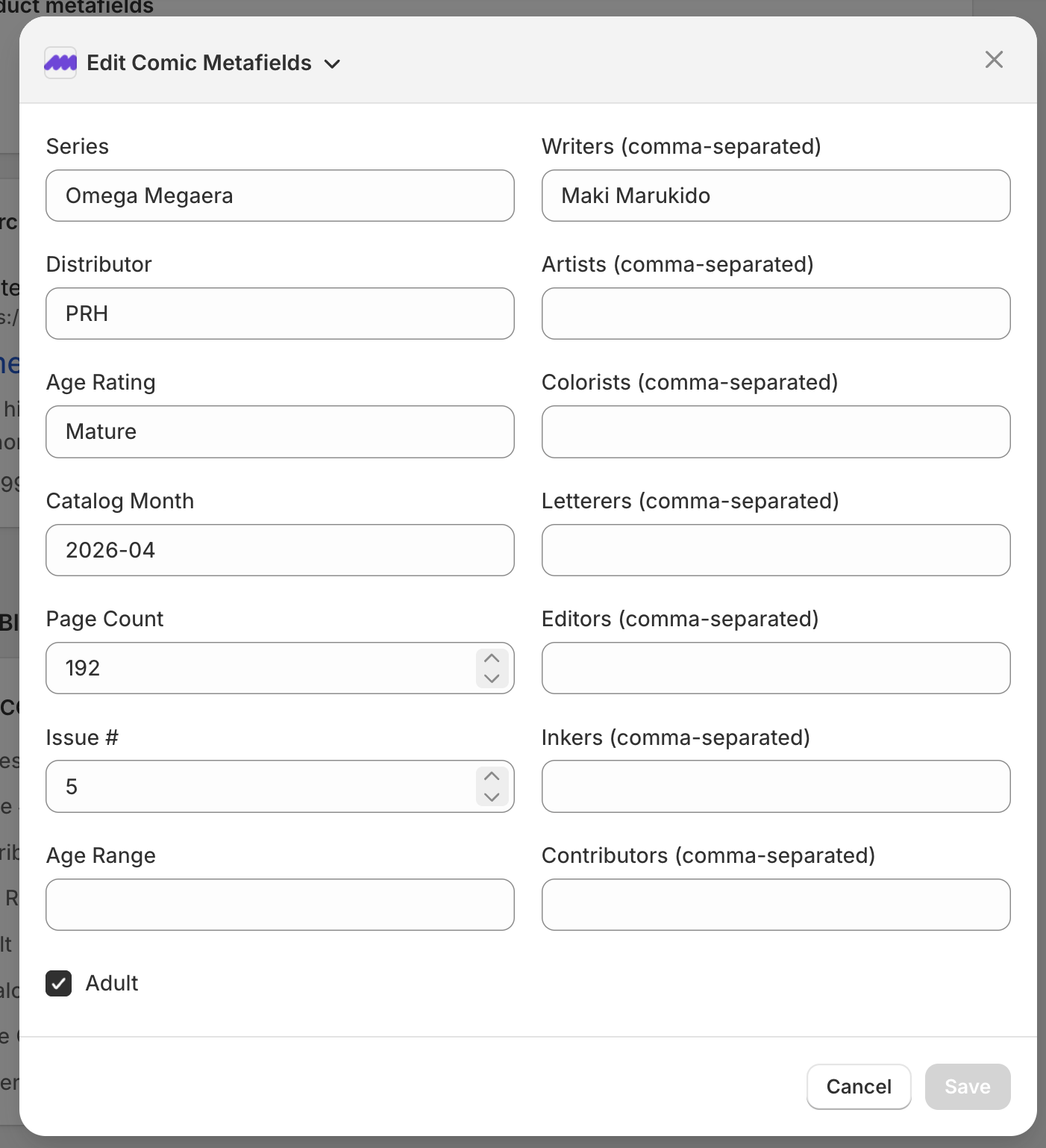
Overrides are the right tool when the distributor's data is wrong — a miscredited artist, an incorrect age rating, a typo in the series name. Edit the field and the correction is preserved across every future sync; upstream changes to that field stop applying to that product until the override is cleared.
Every override also notifies the Masterfile team so we can investigate the underlying data issue and fix it at the source for everyone. You don't need to file a separate report — the override itself is the signal. See Edit comic metafields for the full workflow.
Pausing sync
The sync toggle on Sync Rules pauses all creation and updates without losing your rules. See Pause or resume sync.
Sharp edges
Removing a value, property, or whole group leaves already-synced products in your store — they just stop receiving updates. Delete them manually in Shopify if you don't want to carry them anymore.
Changing the sales channel selection in sync rules does not re-publish products already in your store. The new selection only applies to products created after the save. Bulk editing of existing products can be done inside the Shopify dashboard.
Editing a native Shopify field (title, description, price) or overriding a comic metafield through the COMET block both stop future syncs from overwriting that field.
What's automatic vs. what you do
Automatic:
- Creating products for matching issues.
- Pushing upstream catalog changes to existing products.
- Preserving manual edits and overrides through every sync.
You:
- Configure sync rules once, adjust when your catalog strategy changes.
- Edit comic metafields on a product when its synced data is wrong — the override doubles as the upstream report.